
What is a Draft?
A Draft is a proposed Reddit reply that Earshot wrote for you. It is never posted automatically — you read it, edit it, copy it, and paste it on Reddit yourself.
Drafts appear in the Drafts section of the sidebar, grouped by Listener. A badge shows how many are pending for each Listener.
Tabs and sorting
| Tab | Shows |
|---|---|
| Pending | Drafts waiting for your review (default) |
| Rejected | Drafts you dismissed with ✕ Reject |
| Posted | Drafts you've marked as posted |
| All | Everything |
Use the sort button to switch between Latest and Relevance.
On Scout, only the All tab is shown (monitored posts, no draft statuses).
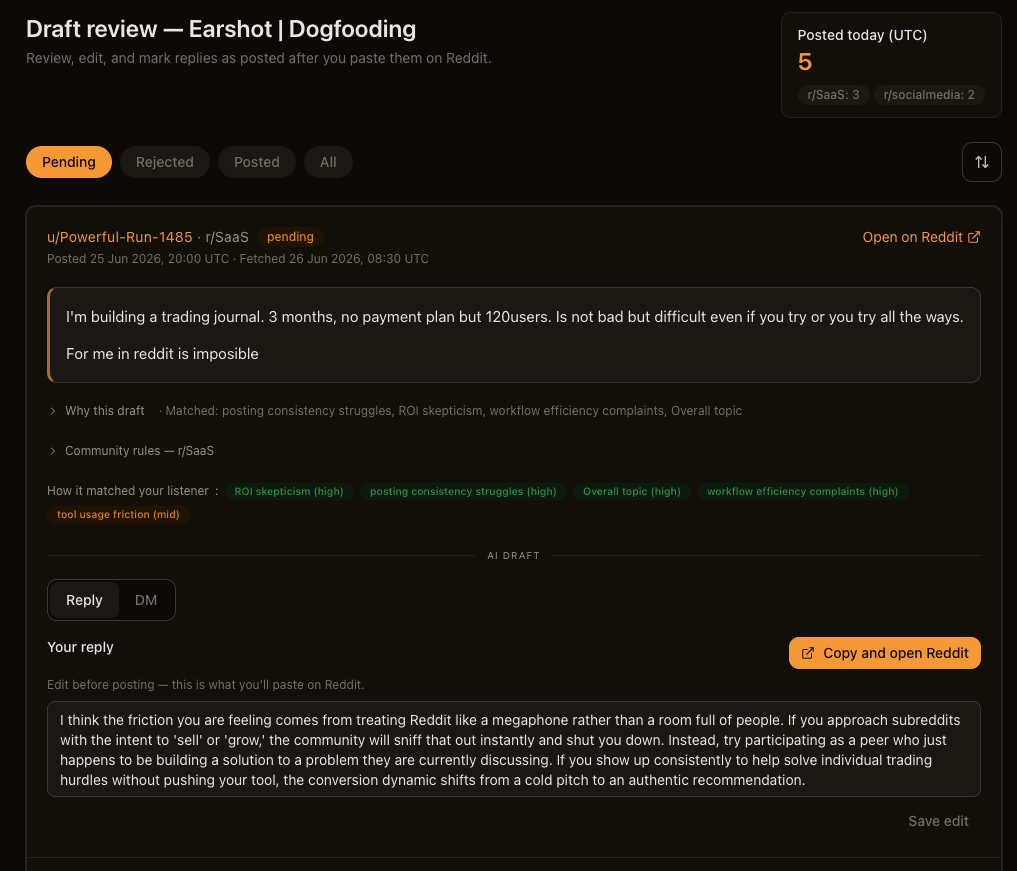
What's on a draft card
Each draft is a single card — there is no separate detail page.
Original Reddit thread
- Author (
u/{username}) and subreddit (r/{name}) - Posted and Fetched timestamps
- Open on Reddit — opens the thread in a new tab
- The original post or comment body
- Community rules — r/{subreddit} — collapsible panel with moderator rules
- Add as negative author (this listener) or Add as negative author (all listeners) — click the username
AI Draft section (Solo only)
- Reply tab — editable textarea for the reply you'll paste on Reddit
- DM tab — read-only direct message text, with warnings that DMs carry ban risk
Analysis panels
- Why this draft — expand to see why Earshot thought this thread was worth a reply. When collapsed, it may show Matched: with angle labels that cleared the relevance bar.
- How it matched your listener — semantic match badges (high / mid only)
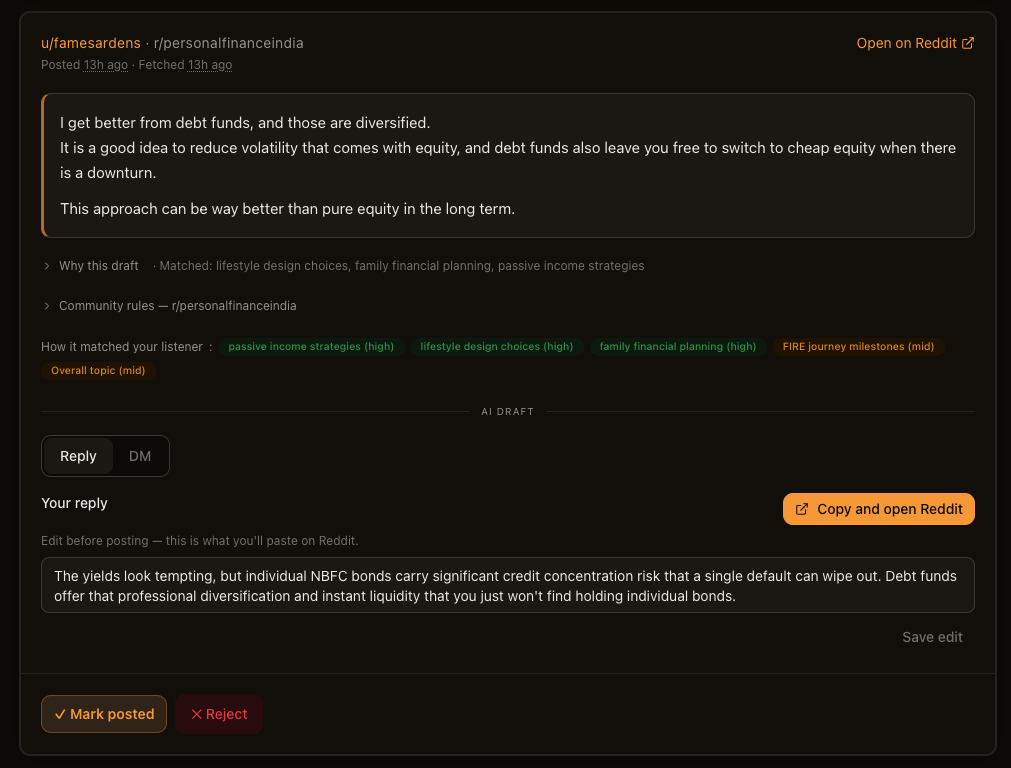
Reviewing a draft
- Read the original thread — make sure you actually want to join this conversation.
- Read the proposed reply under Reply.
- Edit if needed, then Save edit.
- Copy and open Reddit — copies your reply, marks the draft Posted, and opens the thread. Paste it yourself on Reddit. A "Moved to Posted" toast appears when you return to Earshot.
- Or click ✓ Mark posted if you posted without copy-and-open.
Limits and pauses
Daily draft limit (Solo)
Solo generates up to 100 AI drafts per calendar day (UTC). When you hit the limit, draft generation pauses till the next calendar day.
The billing page also shows Today's draft usage with your count.
Posted today (UTC)
The drafts page shows a Posted today (UTC) widget with your count and per-subreddit breakdown.
What's next
- Replying on Reddit — contribute without getting banned
- Listeners — tune what lands in your queue
- Personas — shape how drafts sound