
What is a Persona?
A Persona is the voice Earshot writes in when it drafts Reddit replies. It captures who you are, what you know, how you talk, and what you should never say.
Without a Persona, drafts tend to sound generic. With a good one, they read like something you'd actually post.
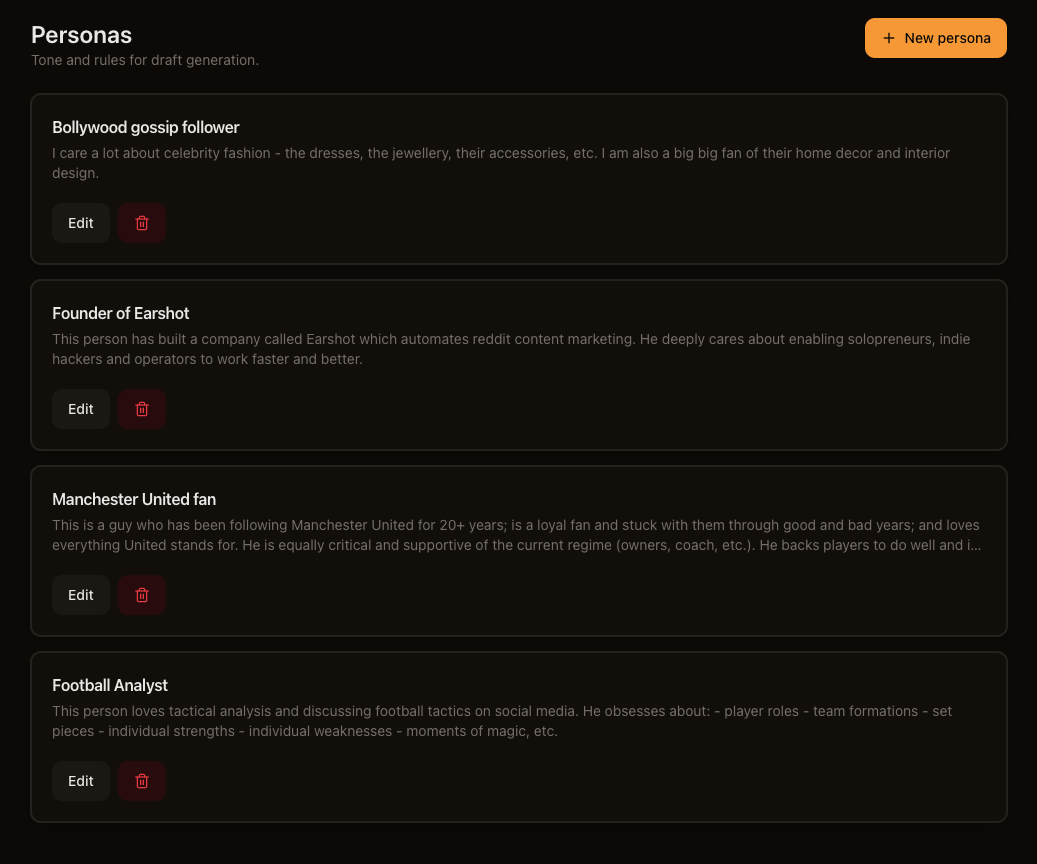
A Persona is optional but highly recommended — you attach it to a Listener through the Writing voice dropdown when creating or editing a Listener. One Listener uses one Persona at a time, but several Listeners can share the same Persona.
What goes into a Persona
The Persona form has five main fields, in this order:
| Field | What it does |
|---|---|
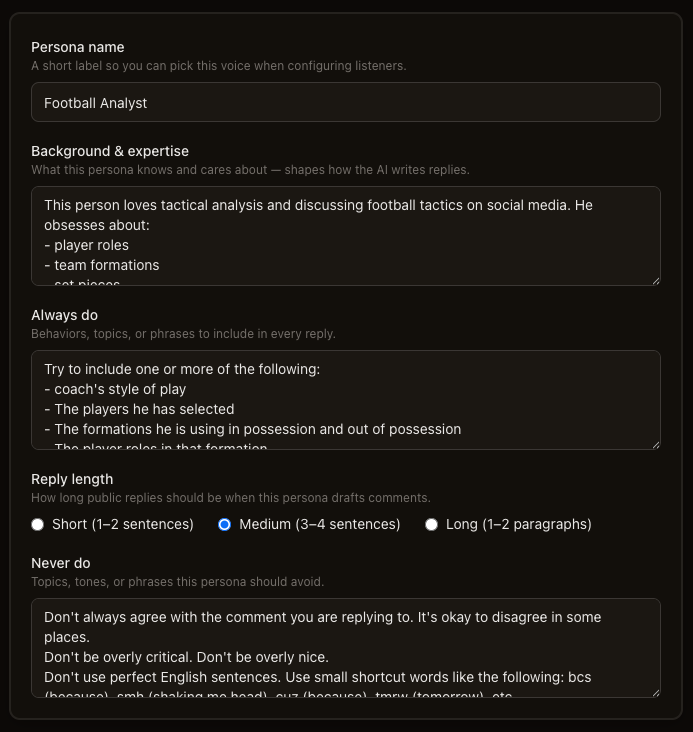
| Persona name | A short label so you can pick this voice when configuring listeners. |
| Background & expertise | What this persona knows and cares about — shapes how the AI writes replies. This is "who you are on Reddit" |
| Always do | Behaviors, topics, or phrases to include in every reply. |
| Reply length | How long public replies should be: Short (1–2 sentences), Medium (3–4 sentences), or Long (1–2 paragraphs). Default is Short. |
| Never do | Topics, tones, or phrases this persona should avoid. |
There is no separate "Role" or "Tone" field — put that context in Background & expertise and Always do / Never do.
Good vs. marketing-speak
Here's how the same intent reads differently in Background & expertise:
Marketing-speak (avoid):
We are the leading AI-powered platform revolutionizing how businesses engage with customers across social channels. Our best-in-class solution delivers seamless, scalable engagement.
Human (better):
I run a small tool that helps founders find relevant Reddit threads and draft replies. I've been posting on Reddit for two years and I know how easy it is to sound like a shill.
Creating a Persona
- Go to Personas → New persona.
- Fill in the five fields above.
- Optionally work on Reply examples (see below).
- Click Create persona.
You'll return to the Personas list. To use this Persona, edit a Listener and select it under Writing voice.
Reply examples
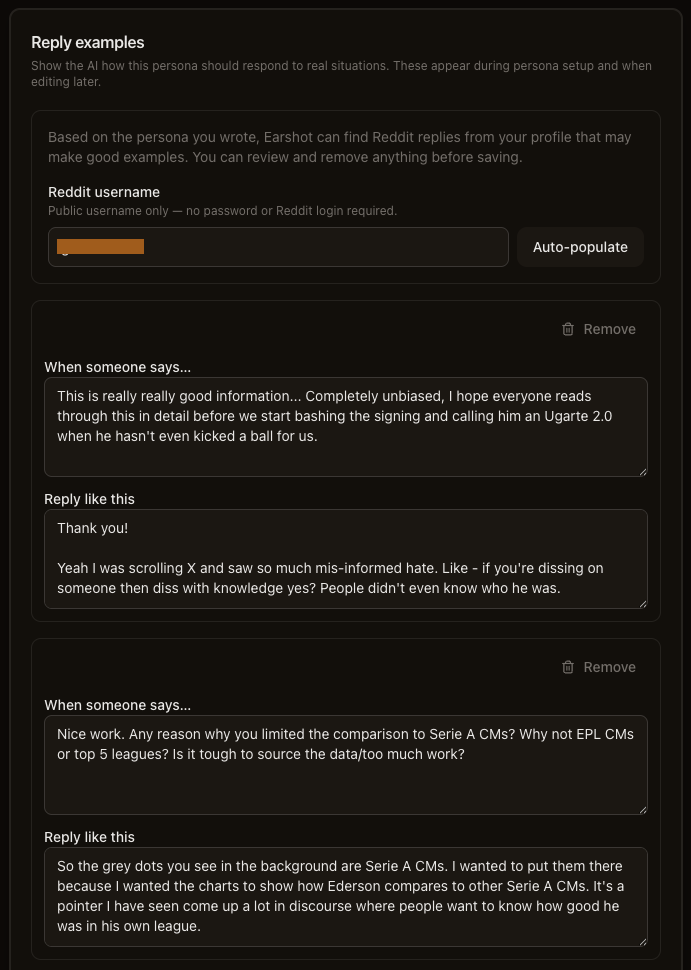
Below the main fields, the Reply examples card helps Earshot understand your voice through real situations. This card is separate from the five main fields, but highly recommended.
Each example has two parts:
- When someone says… — the kind of Reddit comment or question this example is for.
- Reply like this — how this persona should respond in that situation.
You can add examples manually with Add example, or use Auto-populate:
- Enter a Reddit username (public username only — no password or Reddit login required).
- Click Auto-populate.
- Earshot reads recent public comments from that profile, filters low-signal replies, and suggests examples that match your persona.
- Review the results and Remove anything that doesn't fit.
Examples are saved when you click Create persona (new) or Save changes (edit).
How a Persona is used
When your Listener finds a relevant thread, Earshot:
- Reads the thread context (the post or comment and surrounding conversation).
- Loads your Persona's background, rules, reply length, and reply examples.
- Generates a draft that follows those instructions.
- Puts the draft in your queue for you to review and edit.
The Persona shapes how the reply sounds. Product facts come from your Knowledge Base, not the Persona.
Persona vs. Knowledge Base
| Persona | Knowledge Base | |
|---|---|---|
| Purpose | How you sound | What you know |
| Contains | Background, rules, examples | Uploaded documents (PDF, TXT, MD) |
| Example | "Reply as a friendly developer who's built similar tools" | "Scout is $15/mo; Solo is $39/mo with AI drafts. Integrates with Slack." |
Don't put product facts in the Persona — put them in the Knowledge Base.
Don't put tone instructions in the KB — put them in the Persona.
Editing and deleting
Click Edit on any persona card to update fields or examples. Click the delete button to remove a persona — linked Listeners will have their Writing voice set to none automatically.
Solo plans support up to 10 personas.
What's next
- Knowledge Bases — keep product facts accurate in drafts
- Replying on Reddit — engage without getting banned
- How Earshot works — how Personas fit with Listeners, KBs, and Drafts