
Before you begin
This is the shortest path to a working setup. Fine-tuning comes later.
You'll need a Google account to sign in and an active plan (Scout or Solo) on the Billing page. Accept the Terms & Conditions, then start your 7-day free trial.
The Get started checklist on the sidebar tracks the same steps. On Scout, that's plan + Listener. On Solo, add a Persona (a Knowledge Base is optional).
Step 1 — Create a Persona
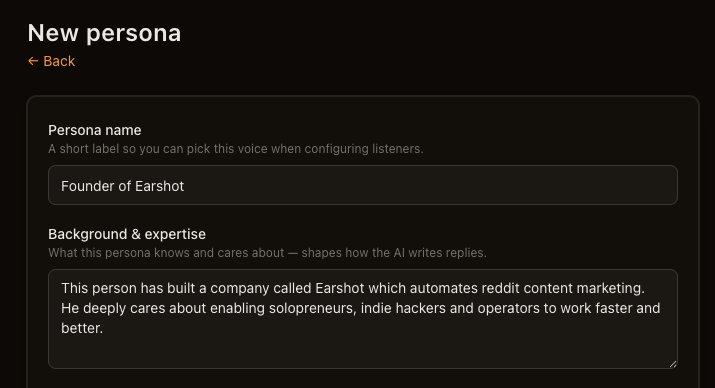
- Open Personas → New persona.
- Give it a Persona name and a sentence or two in Background & expertise.
- Click Create persona at the bottom of the form.
That's enough to start. Attach it to your Listener in Step 2.
We recommend you fine-tune your voice later in Personas — each field includes tips inline.
Step 2 — Create a Listener
This is the step that actually starts monitoring Reddit.
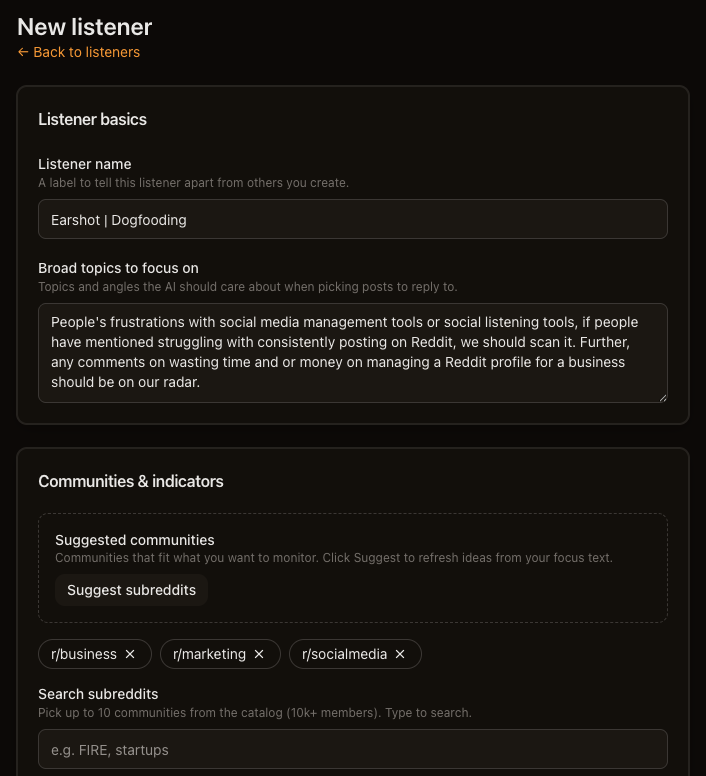
- Open Listeners → New listener.
- Enter a Listener name and Broad topics to focus on, then click Next.
- Earshot will automatically choose relevant subreddits for you. Add or remove from the list as needed.
- Add at least one Primary keywords term.
- Click Create listener.
On Solo, select your Persona under Writing voice before you create. Defaults are fine for everything else.
Your Listener runs on a schedule automatically — no additional configuration is needed.
We recommend you fine-tune keywords, subreddits, and strictness later in Listeners — each form section includes tips inline.
Step 3 — Wait for your first match
Earshot checks Reddit on the schedule you set. When something matches:
- Solo — a draft appears under Drafts in the sidebar.
- Scout — a thread appears under Monitored posts.
How long it takes depends on how active your subreddits are. Quiet communities may take a few runs.
We recommend you fine-tune if matches are too noisy or too sparse — see Listeners.
Step 4 — Review and post
Solo:
- Open the draft. Read the thread and Your reply.
- Edit if needed, then click Copy and open Reddit.
- Paste on Reddit yourself. Earshot marks the draft Posted when you copy.
Click ✕ Reject if the thread isn't worth a reply.
Scout: open the monitored post, read the thread on Reddit, and reply manually. Upgrade to Solo anytime for AI drafts.
We recommend you fine-tune your posting approach later in Replying on Reddit and Drafts.
Optional (do later)
These help but aren't required to get started:
- Reddit username — Your Reddit account in the sidebar so Earshot skips your own posts and comments.
- Knowledge Base — upload product docs for more accurate Solo drafts. See Knowledge Bases.
What's next
- How Earshot works — how the pieces fit together
- FAQs — common questions